
Send Optimove SMS campaigns through SMS Studio
Plan the campaign in the CRM your team already uses. Our active Optimove integration sends each personalized text through SMS Studio, with delivery updates and opt-outs sent back when configured.
- Optimove
- Chooses the audience and schedules the send
- SMS Studio
- Sends each member their personalized text
From an Optimove audience to a customer’s phone
A homeware retailer wants loyalty members to see its spring collection before it goes on general sale. The CRM team selects members who signed up for promotional texts, personalizes the message with their first names and schedules it for when the preview opens.
At send time, Optimove hands SMS Studio the recipient numbers, the finished messages and a campaign reference. SMS Studio uses that batch to send the texts. The CRM team can run the campaign from Optimove without exporting and reimporting its audience. Optimove’s campaign setup guide
How delivery reports and opt-outs get back to Optimove
With delivery reporting configured, SMS Studio can return carrier statuses to Optimove. Opt-out forwarding is configured separately. Check both flows during onboarding so the team knows where to look after the first campaign.
| What happened | What it tells your team |
|---|---|
| SMS Studio accepted the batch | The batch reached SMS Studio for processing. Check delivery separately after sending starts. |
| The carrier returned a delivery status | Check whether the carrier reported the message as delivered or failed. For a missing result, use the campaign reference and send time to identify the batch. |
| A recipient opted out | Confirm the opt-out appears in Optimove when forwarding is enabled. Check that your next audience excludes that contact before scheduling a follow-up. |
If Optimove shows an accepted batch and delivery results are missing, check the send status before retrying the campaign. If you need help, share the campaign reference, send time and time zone with support. See what each SMS delivery status means
How to connect Optimove to SMS Studio
Start by confirming that your Optimove workspace has SMS enabled. Contact SMS Studio with the workspace, your destination countries, expected monthly volume and a finished sample text. That gives us enough to review the route and sender requirements with you. Optimove SMS setup requirements
Can I use my existing sender ID or phone number?
Share the name or number you want customers to see, along with the countries you send to. We can check whether the route supports it and whether it needs registration. If customers need to reply, ask whether the same sender can receive SMS and where your team would see those replies.
What should I test before launch?
Use a small internal audience. Check that each person gets the right name and offer, confirm the visible sender on a handset, and look for the delivery result where your team expects it. Use a test contact to check the opt-out flow and confirm that it is excluded from a follow-up audience.
How much does it cost to send SMS from Optimove?
For an estimate, multiply the SMS segments by the applicable rate and calculate each destination separately. Use the final message with names, links and opt-out wording filled in. For example, 1,000 personalized texts that each use two segments add up to 2,000 segments. Confirm the rate, sender costs and any route-specific fees for your Optimove setup. Check a sample text’s segment count · Browse SMS destination rates
Can I connect a different CRM to SMS Studio?
We can assess your CRM and the messages you want it to send. For example, a booking system can call the SMS API when an appointment changes, save the returned message ID and use a delivery webhook to update the booking record. If your CRM runs scheduled campaigns for a whole audience, share how it prepares batches and what results it needs back so we can review the integration.
Send us your CRM name, the event or schedule that should start the send, your top destinations and sample messages. Discuss your CRM integration with SMS Studio
Meet us at an industry event
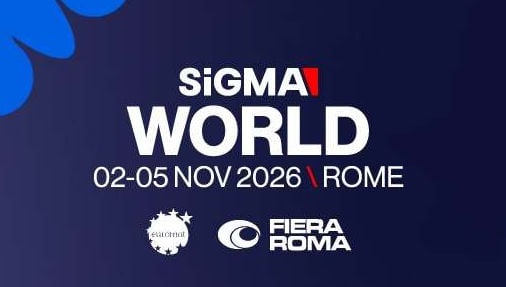
We visit SiGMA, iGB and ICE from time to time. We’d also like to attend iFX EXPO in the future.
Going to one of these events? Ask if our team will be there and bring the CRM workflow you’d like to discuss.